01 · Chronicle → Brevity AI
Helping clinicians review AI-selected moments.
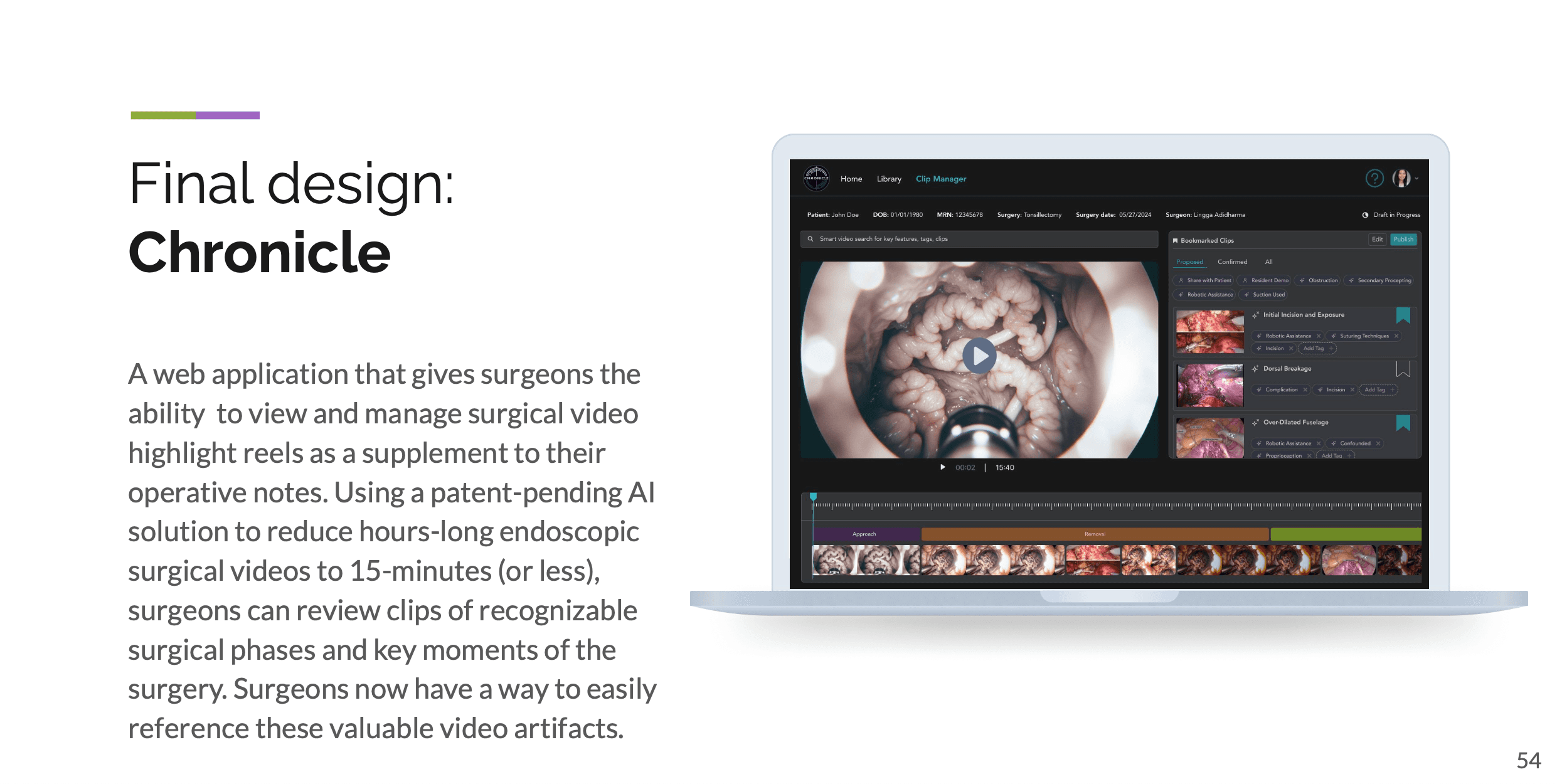
Surgery videos are long and hard to search and review. In the Chronicle capstone, we explored how surgeons could find particular moments and understand which clips were suggested by AI. I later cofounded Brevity and kept working with ENT surgeons on how the videos could be used.
The work
How surgeons used their recordings.
Our capstone team used contextual inquiry and interviews with ENT surgeons and residents to understand how recordings were captured, retrieved, reviewed and shared. I worked on the synthesis and video lifecycle, then translated the findings into interaction design.
One question was how a surgeon could find a particular moment while still seeing it within the original recording. We worked from that question when designing playback, clip navigation, annotation and sharing.
Prototype testing
What our sponsor found confusing in the clip manager.
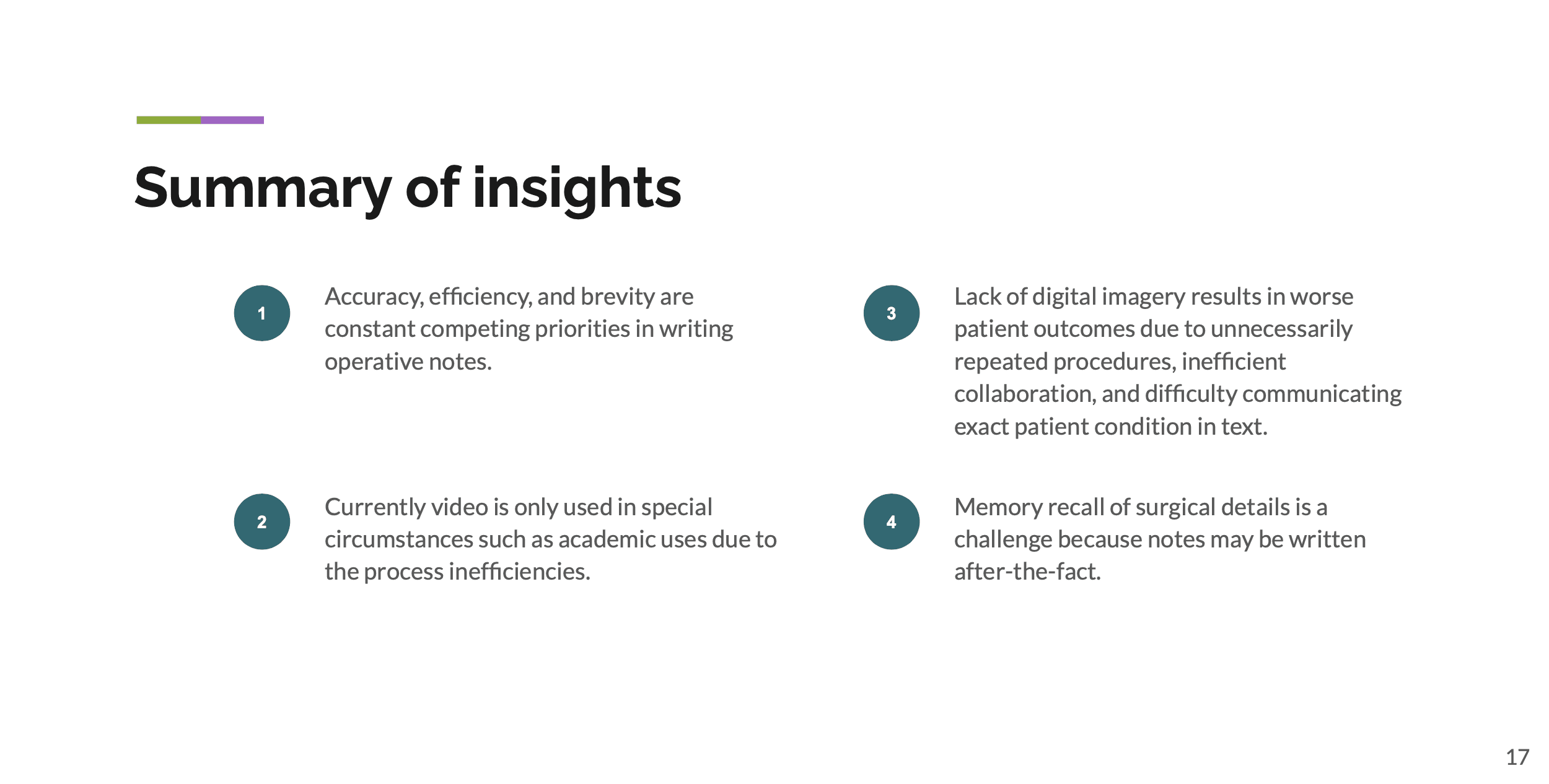
We tested the Chronicle prototype with our sponsor. The testing notes recorded confusion about the edit and add functions in the right-hand panel, what would happen after selecting them, and which clips appeared in the list.
View the original testing notes · slide 48
Inside the clip manager
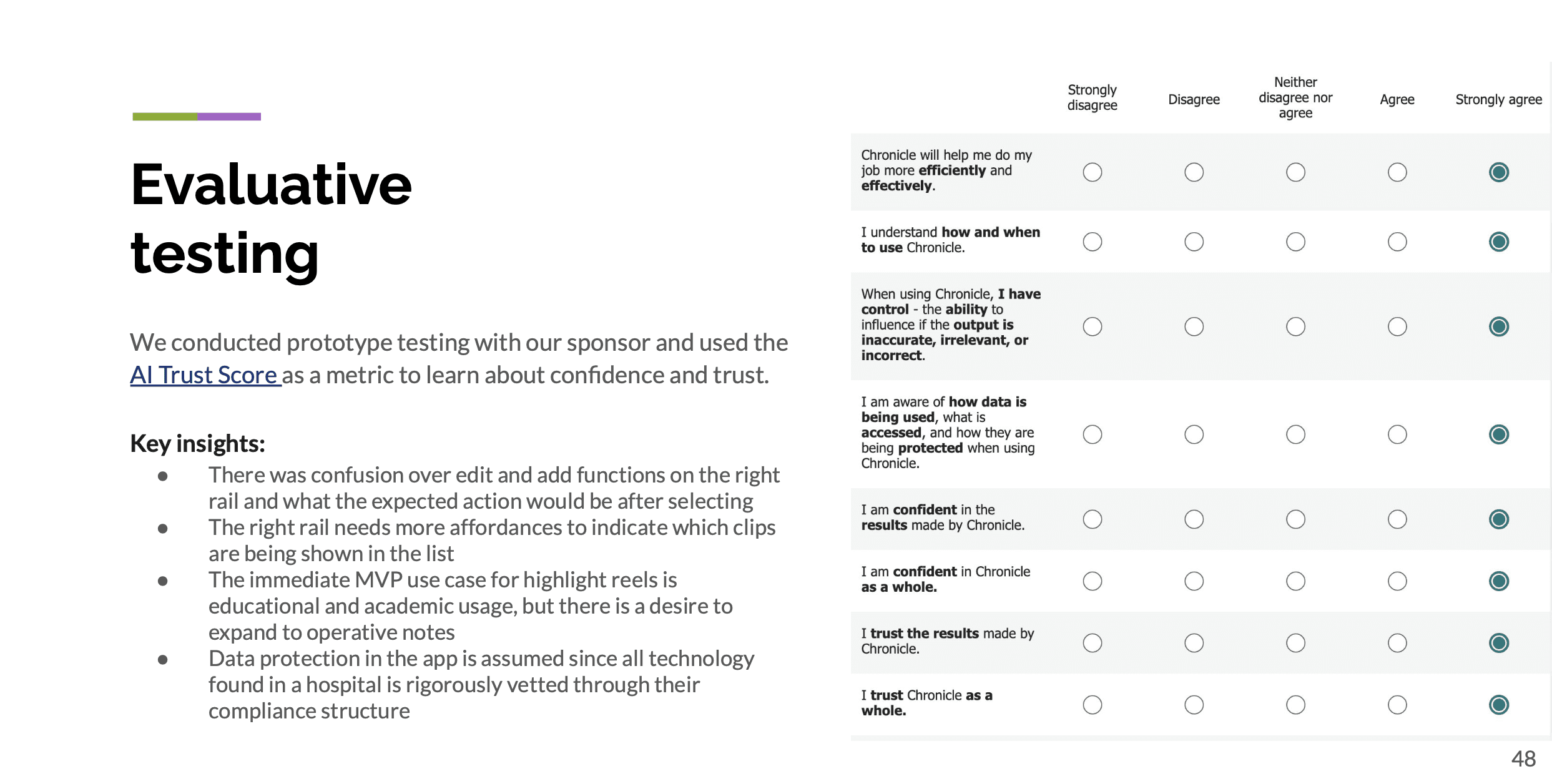
Detail from the final capstone concept, slide 54.
- Proposed, Confirmed, All
- These tabs appear above the clip list. They give the reviewer a visible way to distinguish the lists.
- Edit and Publish
- The controls appear at the top of the panel, with tags and bookmarks on individual clips.
We used the sponsor feedback to work through how the highlight reel and video clips communicated their different states. Our state exploration compared the timeline with the clip list under “Default” and “Hide Suggestions,” including AI-suggested, manually created and bookmarked clips.
View the complete state exploration · slide 51
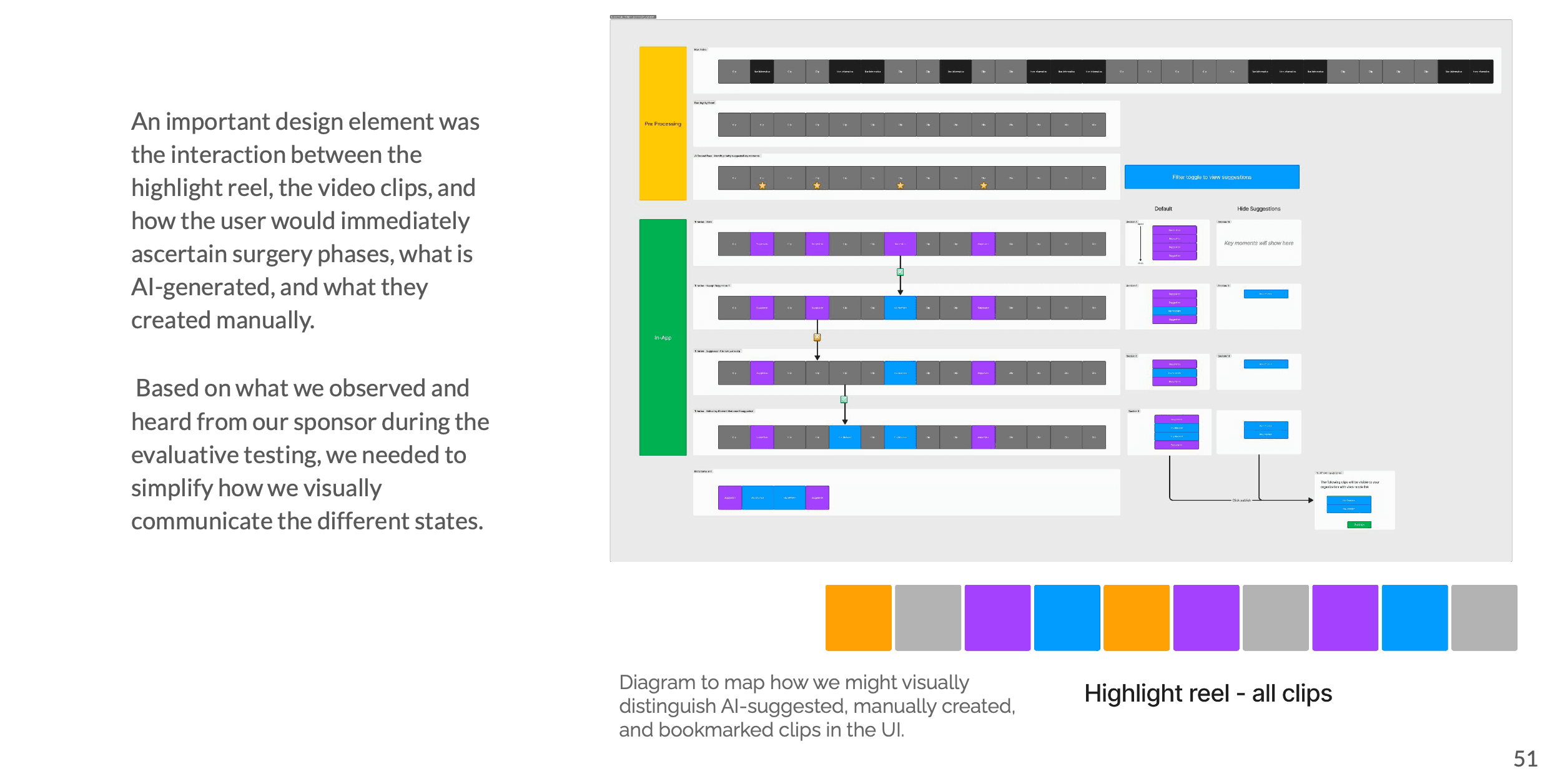
We still needed to show where each clip came from and how it related to the full recording and the highlight reel.
I would pair the visual distinctions with text labels, then ask clinicians to identify a clip’s origin, predict what a control will do and return to the source recording. I would also check how review differs between surgeons and residents, and who can confirm or share a clip.
Earlier design work
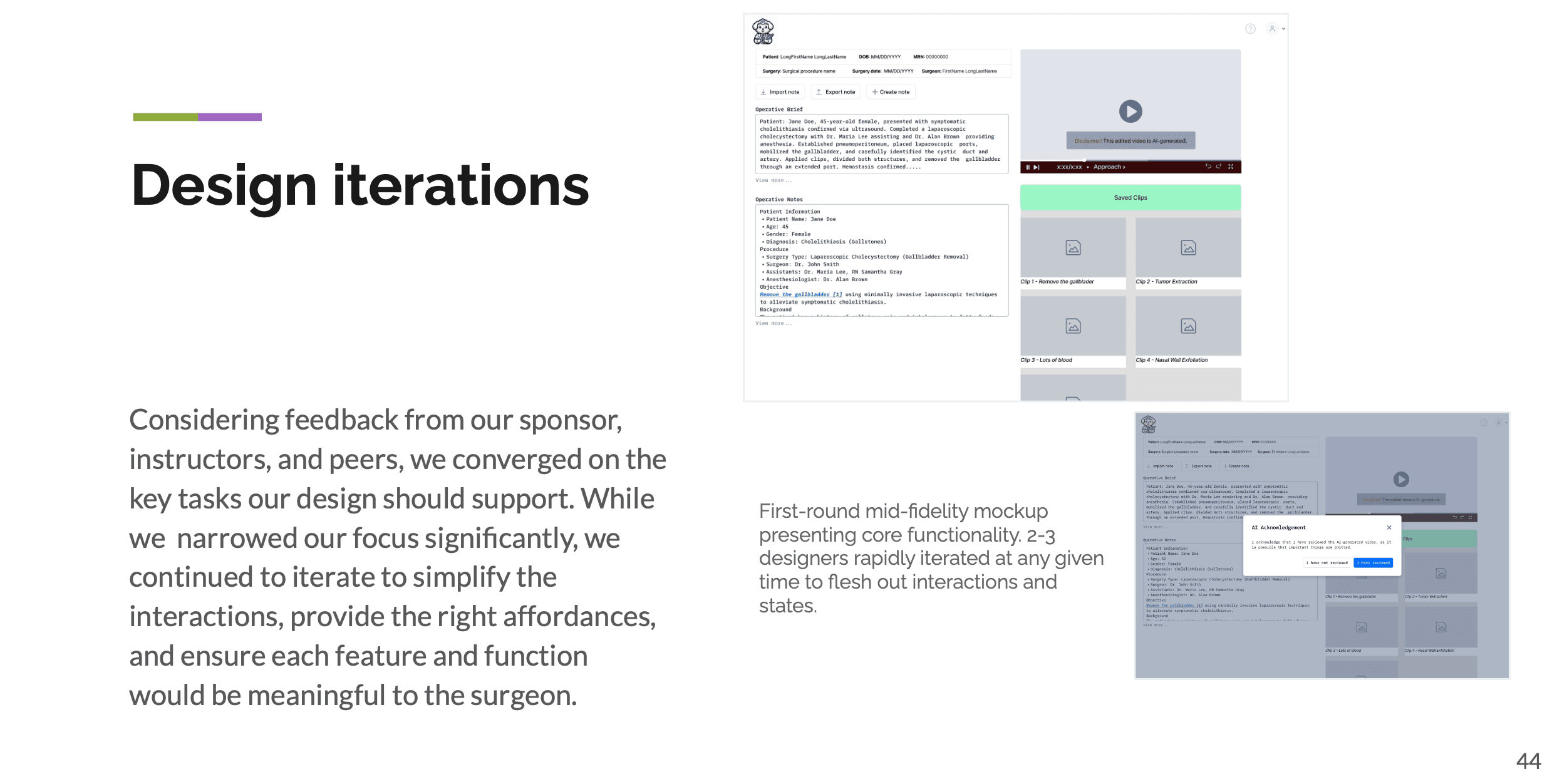
Product judgment
Why we shifted from peer review to consultation.
At Brevity, I explored several uses for surgical video, including documentation, peer review and consultation. Conversations with surgeons made the CEO and me question whether they would welcome peer evaluation. We discussed those concerns and pivoted toward consultation.
The service connected physical video retrieval, secure upload, AI summarization and clinician review. I worked with the technical and clinical stakeholders; the attending retained clinical decision authority.
01
Retrieve
Find and prepare the source recording.
02
Suggest
AI selects candidate moments for review.
03
Review
The clinician inspects the original context.
04
Use or return
Only reviewed material should inform the next step.
Reconstructed workflow summary. “Use or return” describes the intended review boundary.
What resulted
A tested concept, then a small pilot.
The work produced a high-fidelity concept tested with surgeons and a later six-video ENT pilot. The public project record reports positive summary-confidence feedback.
The next study would also look at missed events and the effort it takes to correct a suggestion. A clinician should be able to reject a suggestion without losing their place or the original evidence.
Next: reviewing evidence at Lumen →