Mercedes-Benz China · Multi-channel service

Multi-Channel Roadside Assistance

A roadside request happens when the driver may be shocked, angry, or unsure what to do next. I treated every repeated question and hidden handoff as extra work the service was asking that person to carry.

My role
Senior UX Designer at Publicis Sapient
Primary actors
Driver, assistance operator, roadside provider, UI designer, client stakeholders, and connected digital channels
Status
Final desktop and mobile designs documented; launch and production outcomes not verified
System scope
Request initiation, channel continuity, known context, submission, and status

Delivered

Desktop and mobile designs

The final design states are documented.

Modeled

Eight steps reduced to five

The reduction describes the designed path, not a measured production journey.

Not verified

Launch and production outcome

No adoption, completion-rate, or response-time result is claimed.

Business context and constraints

Improve one channel without contradicting the service around it

The assignment was to migrate roadside assistance into a new website without redesigning the whole service. The work had to reuse existing components, support owners with multiple vehicles, and remain coherent with the hotline, WeChat, mobile app, and in-car assistance button within a two-week schedule.

The problem

The service made a stressed driver repeat what the system already knew

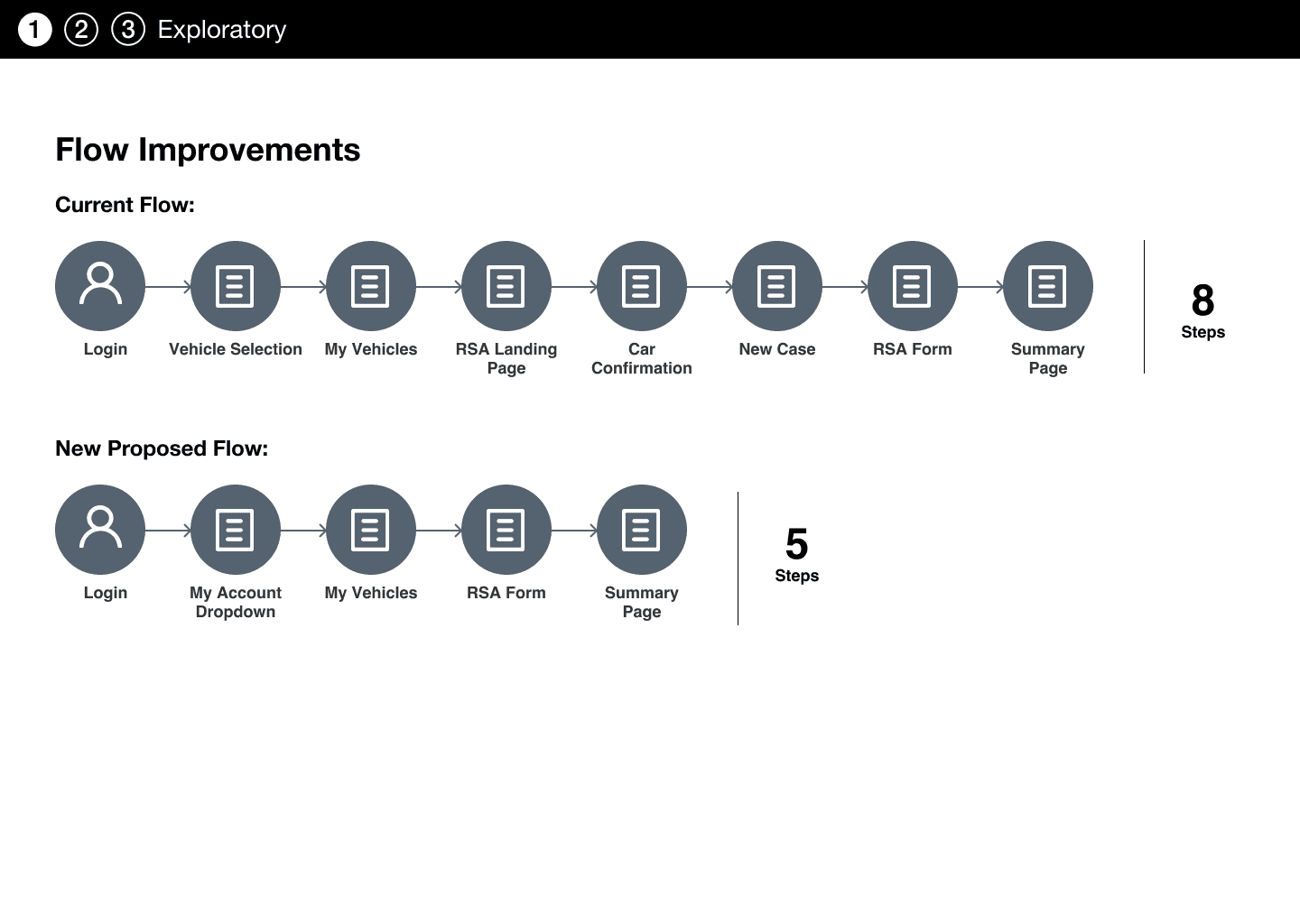
The service spanned web, hotline, WeChat, mobile, and in-car channels. In the documented web journey, drivers still passed through eight steps before summary; the redesign shortened that modeled path and carried known account and vehicle information forward.
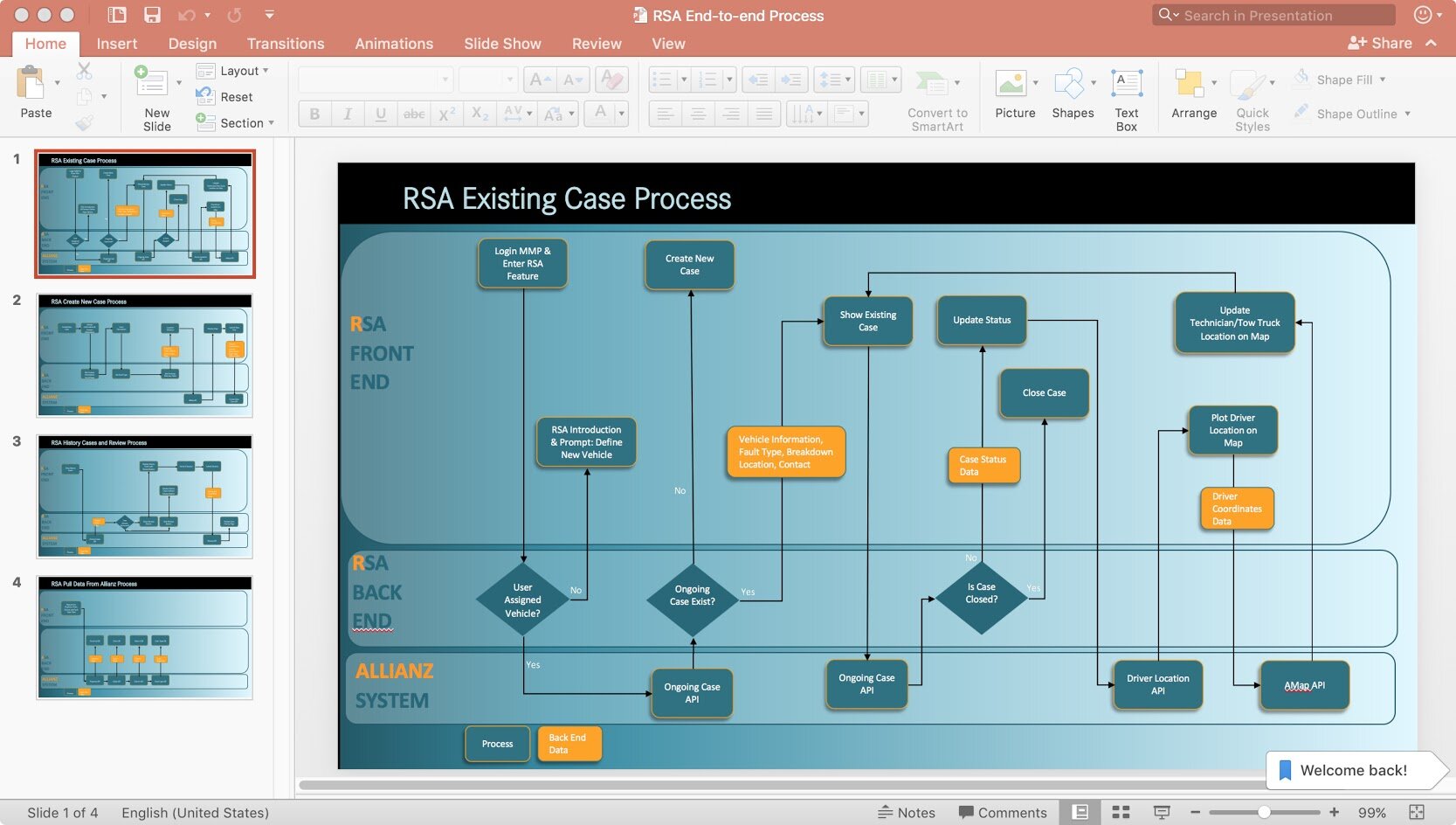
Existing roadside-assistance service flow before redesign.
Existing state · Original service flow used to identify repetition, handoffs, and failure points.

Design strategy

Carry known context forward and keep human help visible

The designed path reused available vehicle and account information, reduced avoidable input, kept the hotline accessible, and clarified what would happen after submission.
  1. Recognize context
  2. Confirm location
  3. Describe need
  4. Choose contact
  5. Track status
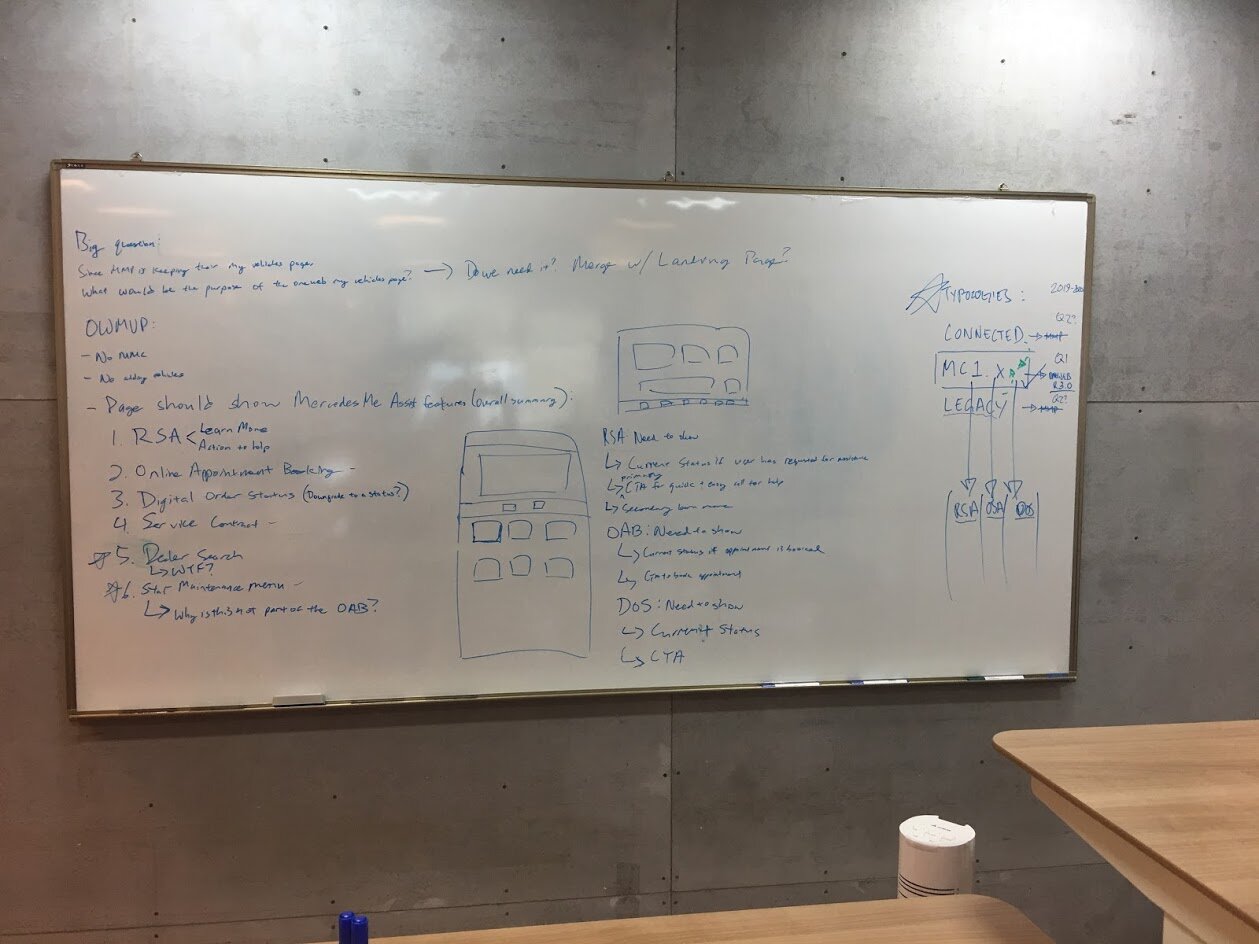
Whiteboard exploration of roadside assistance channels, states, and handoffs.
Working artifact · Channel, state, and handoff exploration used to frame the service.
Modeled roadside assistance flow showing a reduction from eight steps to five.
Modeled outcome · The designed path moved from eight steps to five; production time was not measured.
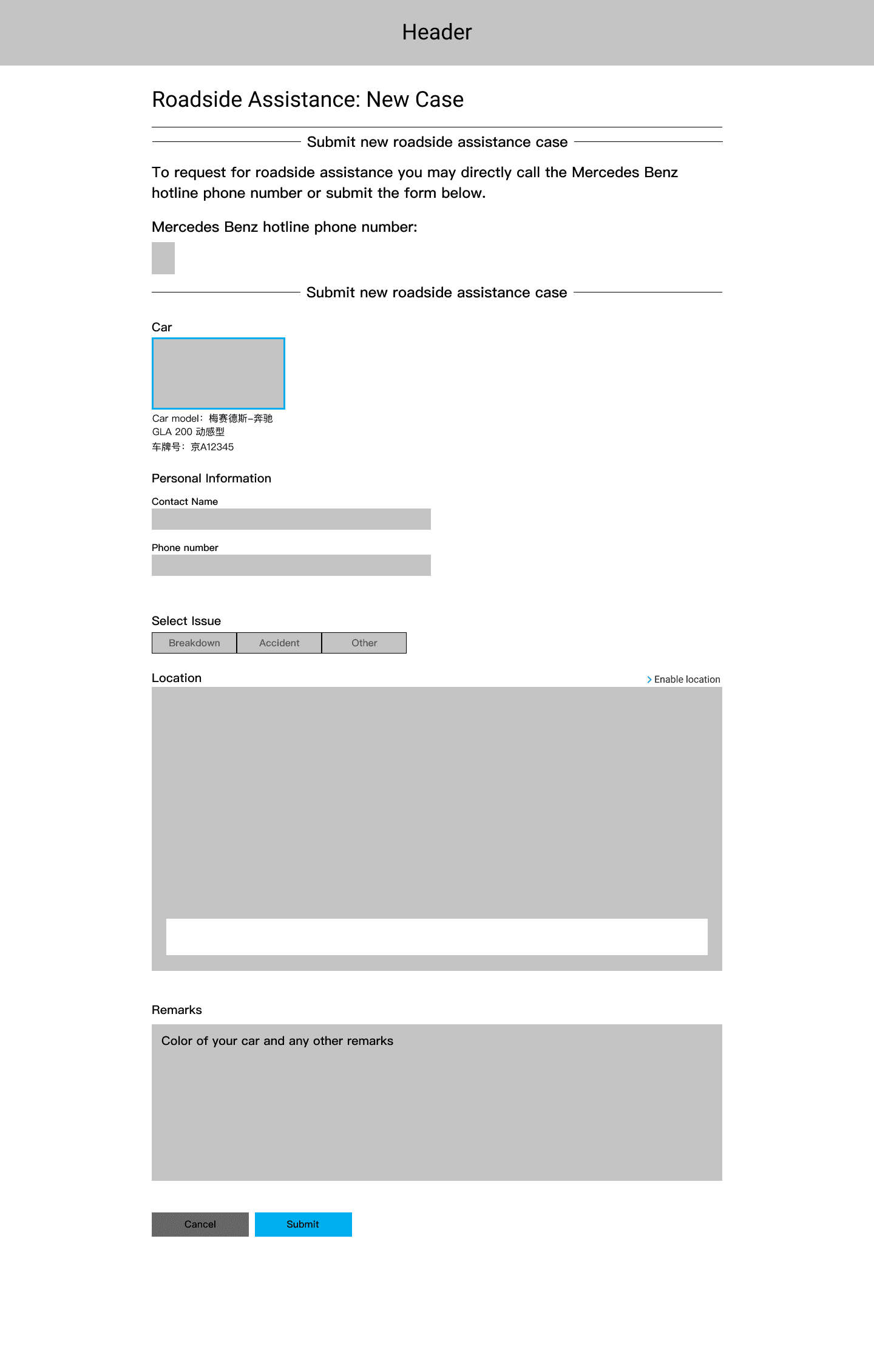
Roadside-assistance form with a prominent hotline alternative.
Human alternative · Hotline access remained visible for urgent or failed digital journeys.
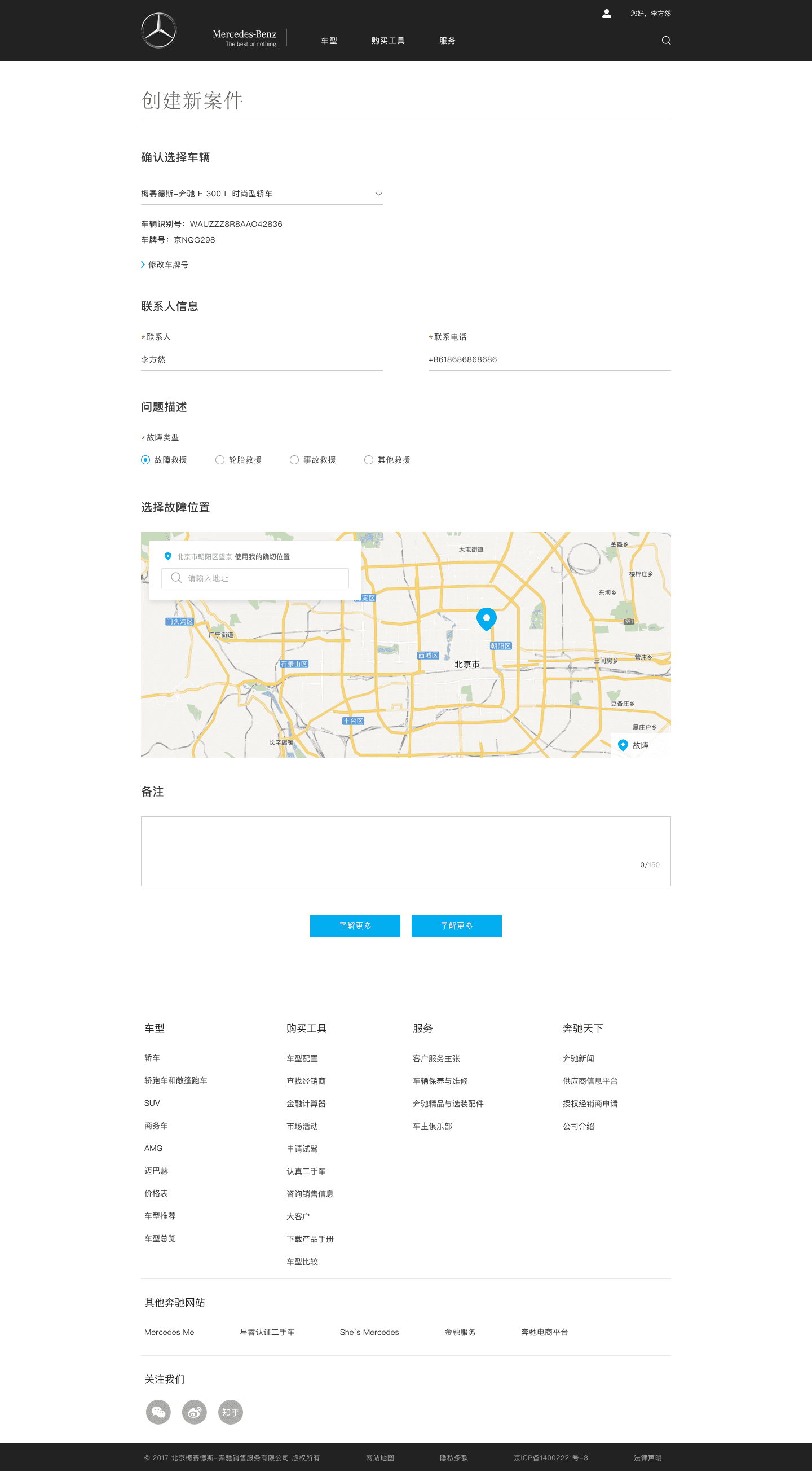
Desktop roadside-assistance form for creating a new case.
Desktop design · New assistance request.
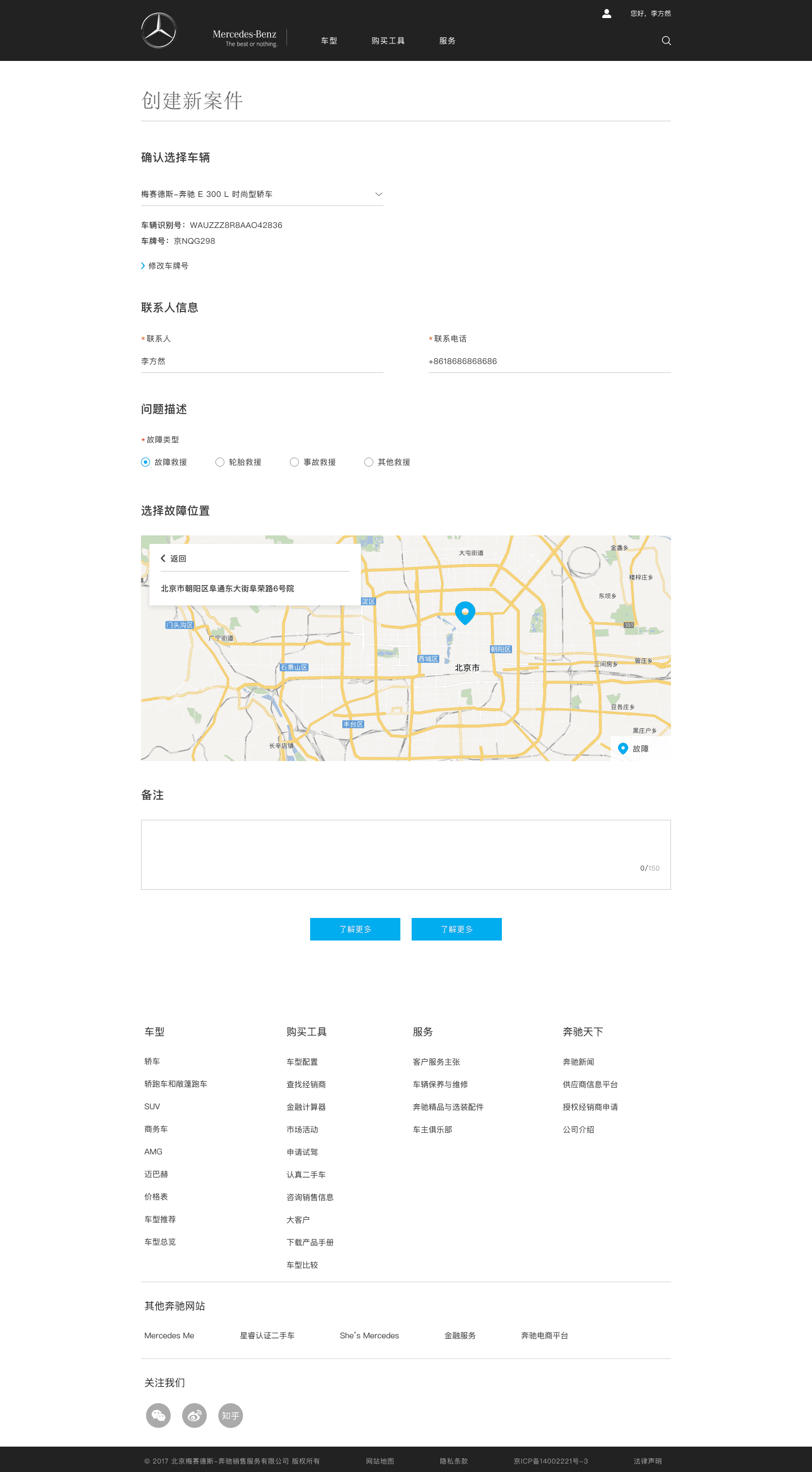
Desktop roadside-assistance screen for confirming the incident location.
Desktop design · Location confirmation.
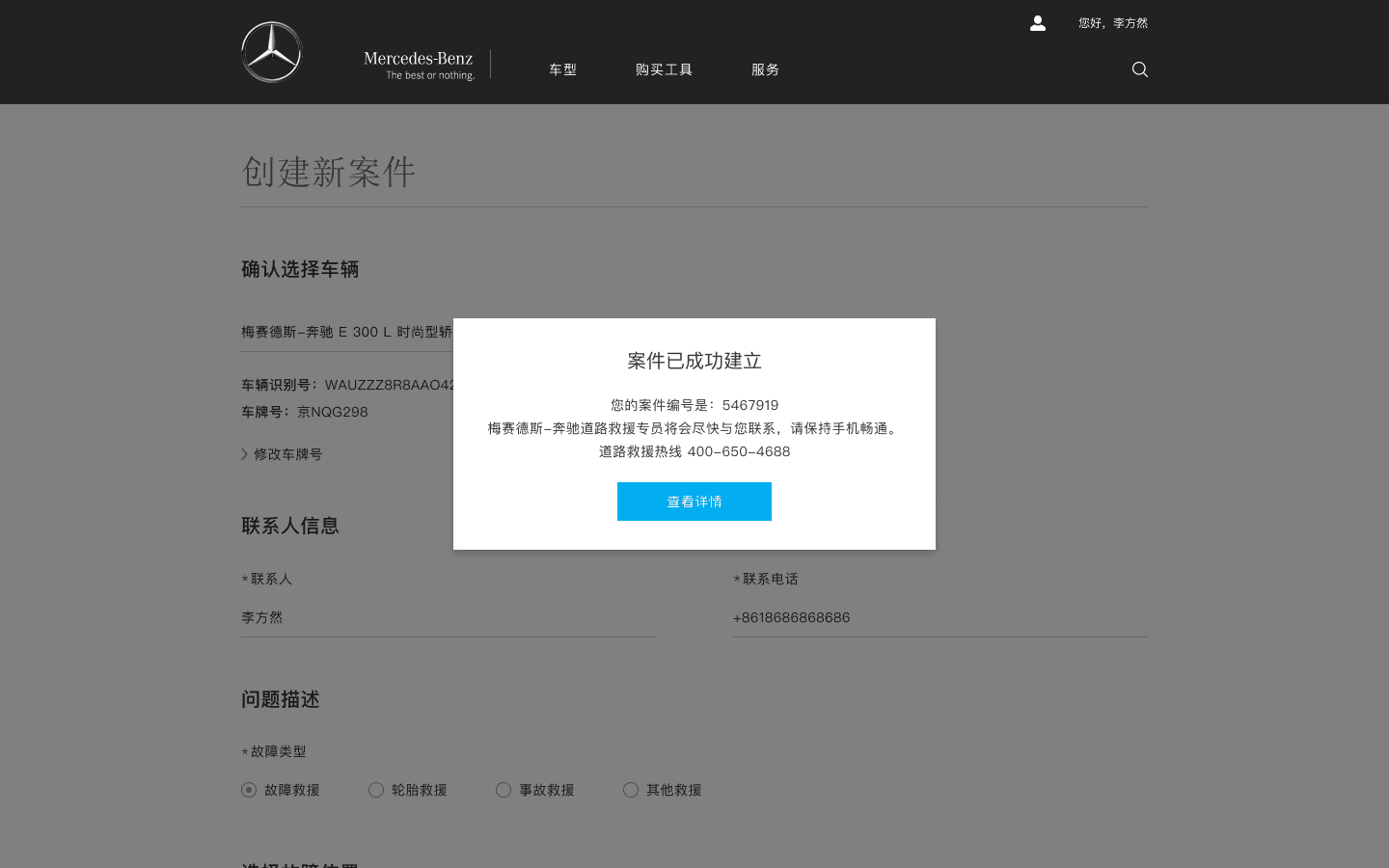
Desktop confirmation after a roadside-assistance case is created.
Desktop design · Request-created confirmation.
Mobile roadside-assistance form for creating a new case.
Mobile design · New assistance request.
Mobile roadside-assistance screen for confirming location.
Mobile design · Location confirmation.

Service blueprint

Connect the distressed driver to the service operating behind the form

The visible request path depended on account context, vehicle records, channel continuity, an assistance operator, and a roadside provider. This blueprint makes those dependencies and escape paths explicit.

Roadside-assistance service blueprint

Reconstructed from preserved workflow diagrams, final screens, and project notes. It represents the designed service logic, not verified production architecture.

On smaller screens, each stage is stacked for easier reading.

Lane / stage
Recognize
Locate
Describe
Submit
Dispatch
Resolve
Driver
Recognizes need
Confirms location
Selects incident
Requests help or calls
Waits with status
Confirms completion
Frontstage
Web, app, WeChat, in-car, hotline
Known location plus correction
Short request form
Receipt and phone escape
Operator and status updates
Completion state
Backstage
Find account and vehicle
Normalize location
Create case details
Route request
Assign provider
Close service case
System support
Account and vehicle context
Location service
Incident taxonomy
Case record
Dispatch status
Service history
Risk and recovery
Hotline always visible
Manual correction
Avoid repeated inputs
Receipt and retry path
Escalate when delayed
Reopen or contact support

Recognize

Driver
Recognizes need
Frontstage
Web, app, WeChat, in-car, hotline
Backstage
Find account and vehicle
System support
Account and vehicle context
Risk and recovery
Hotline always visible

Locate

Driver
Confirms location
Frontstage
Known location plus correction
Backstage
Normalize location
System support
Location service
Risk and recovery
Manual correction

Describe

Driver
Selects incident
Frontstage
Short request form
Backstage
Create case details
System support
Incident taxonomy
Risk and recovery
Avoid repeated inputs

Submit

Driver
Requests help or calls
Frontstage
Receipt and phone escape
Backstage
Route request
System support
Case record
Risk and recovery
Receipt and retry path

Dispatch

Driver
Waits with status
Frontstage
Operator and status updates
Backstage
Assign provider
System support
Dispatch status
Risk and recovery
Escalate when delayed

Resolve

Driver
Confirms completion
Frontstage
Completion state
Backstage
Close service case
System support
Service history
Risk and recovery
Reopen or contact support

Recovery and status

Submission was the start of the service, not the end

Post-submission states explained receipt, assignment, expected next action, and recovery options. Waiting and failure were treated as service states rather than blank space.

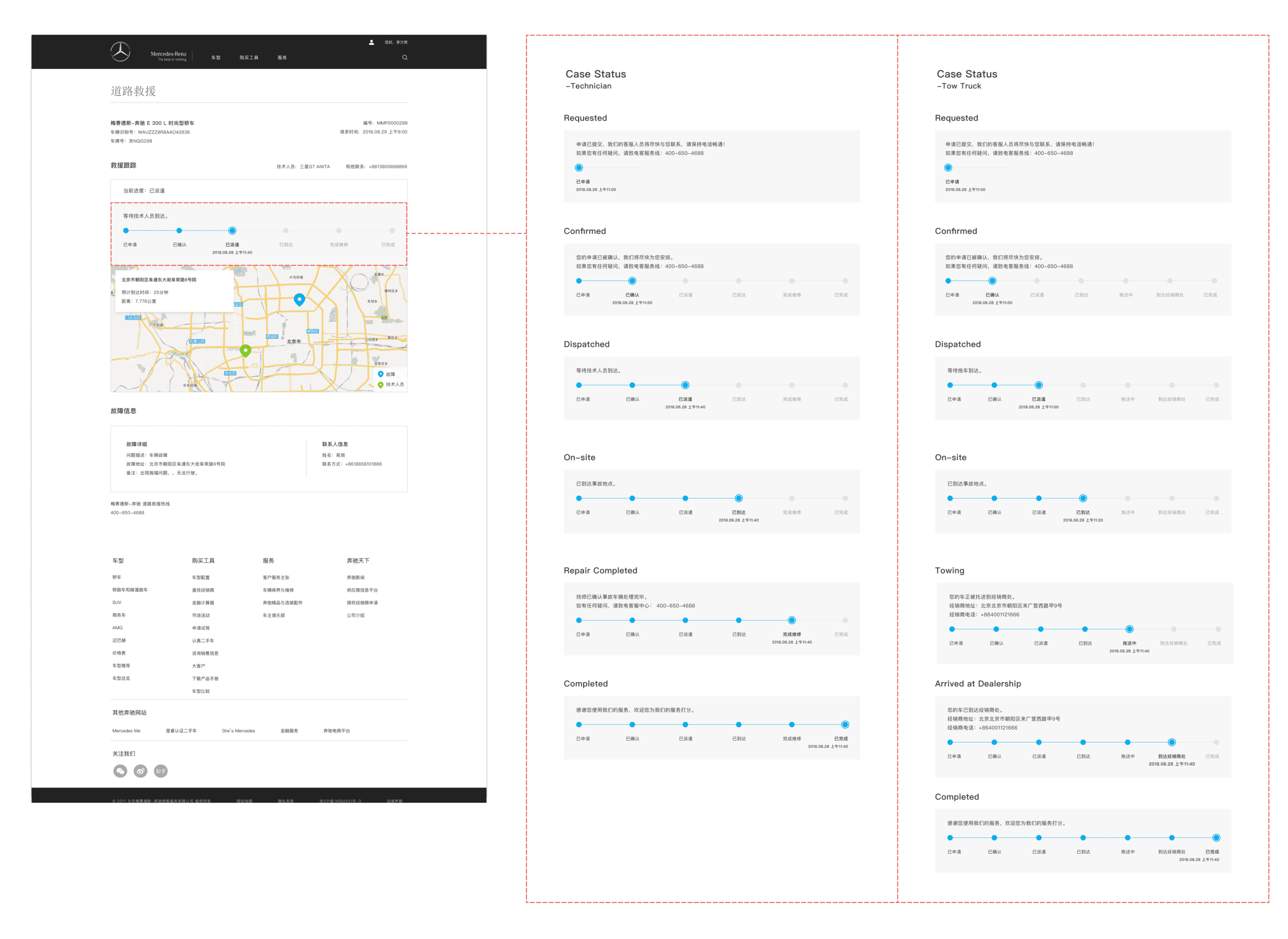
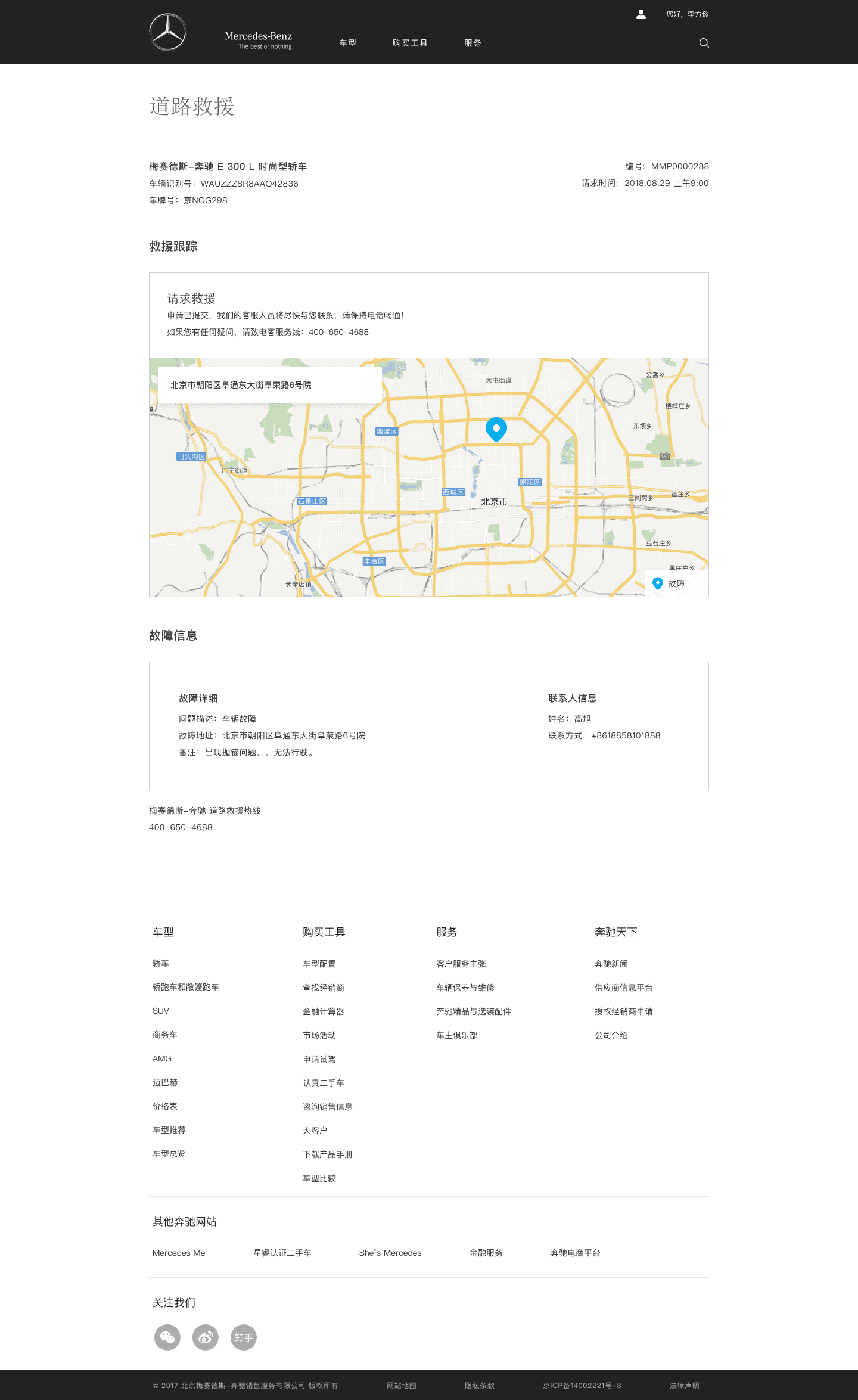
Desktop roadside assistance case status states after request submission.
State overview · Service progress and recovery paths.
Desktop status state showing roadside assistance requested.
Post-submission state · Assistance requested.
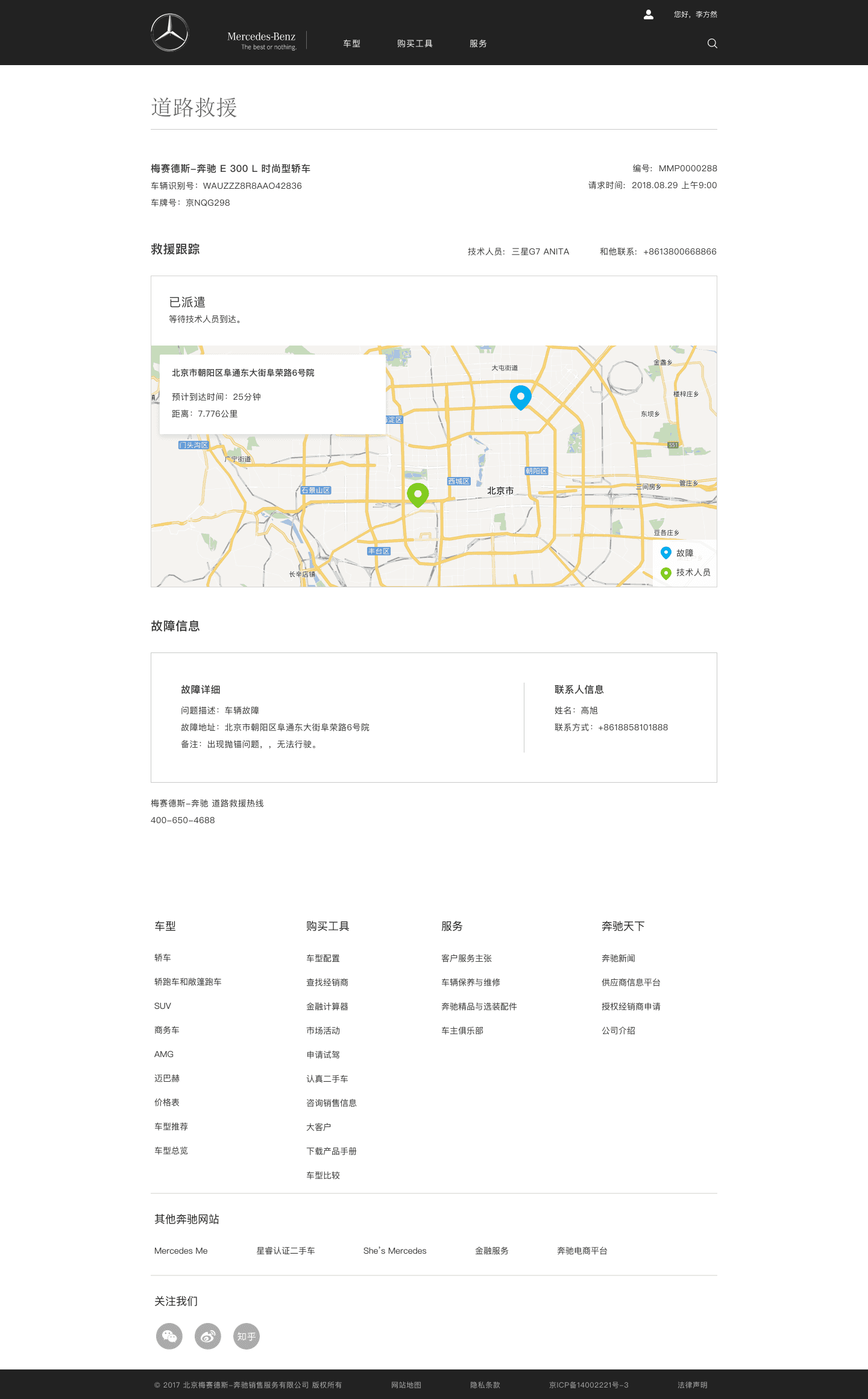
Desktop status state showing roadside assistance dispatched.
Post-submission state · Provider dispatched.
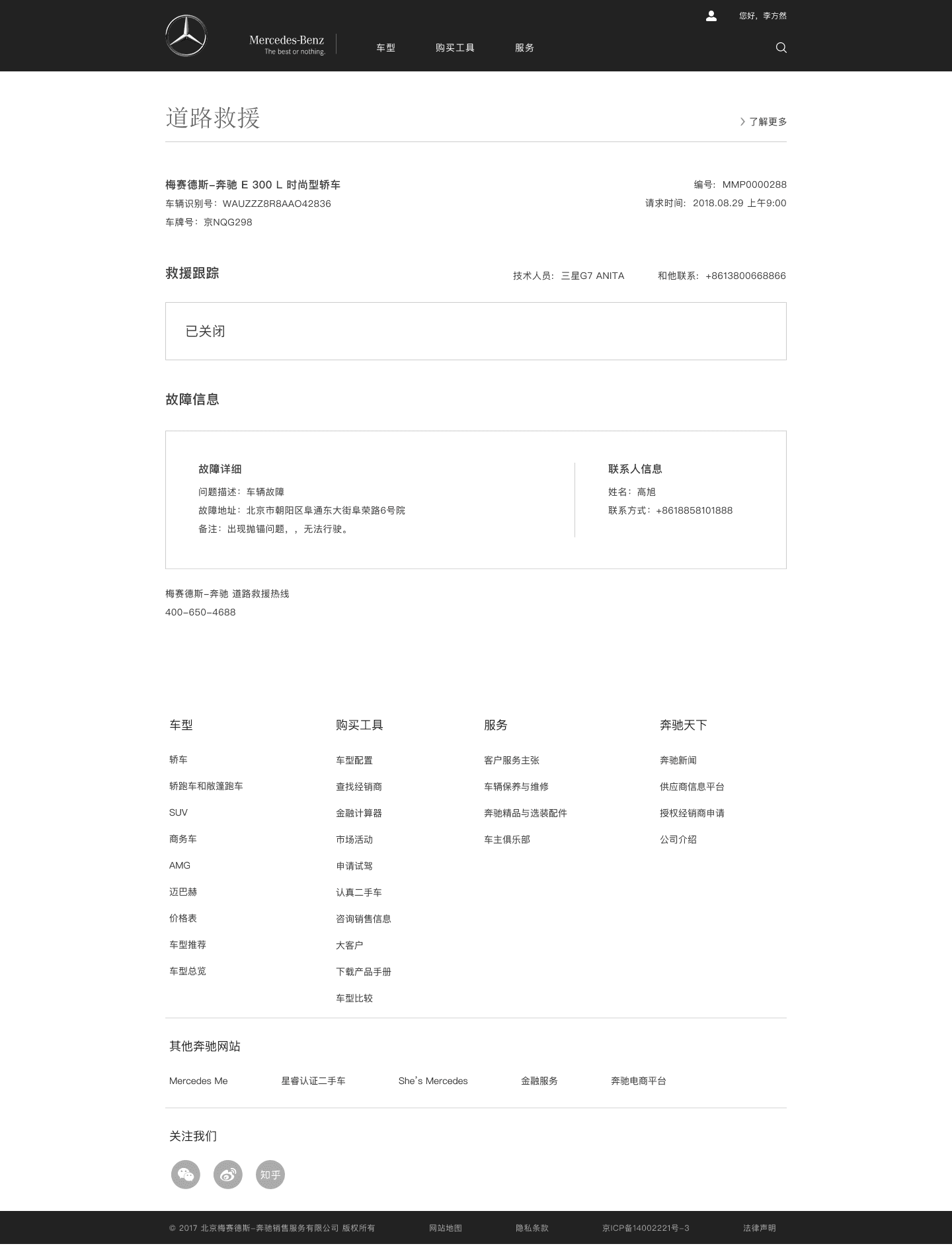
Vehicle view showing a completed roadside-assistance case.
Post-submission state · Case completed.
Mobile roadside-assistance status showing help dispatched.
Mobile status · Provider dispatched.

Validation boundary

Stakeholder approval was not user validation

Stakeholder interviews, review of the existing service flow, cross-market comparisons, iterative wireframes, and collaboration with a UI designer shaped the final desktop and mobile designs.

Outcome and limits

The modeled path became shorter; production performance remains unknown

The delivered work included a five-step proposed journey, desktop and mobile screens, a visible hotline alternative, location entry, and requested, dispatched, and completed status states.

  1. Measured: eight modeled steps became five
  2. Documented: final desktop and mobile design delivery
  3. Not proven: launch, request-time reduction, completion improvement, accessibility improvement, satisfaction, or production usage

Takeaway

In a high-stress service, stopping the interface can be the right interaction

Simplifying the digital path mattered, but so did keeping phone help visible and explaining what would happen after submission. The service had to reduce decision overhead without trapping a distressed driver inside one channel.
Service design, human-centered AI, and workflow transformation

I help teams make complex workflows clearer, more reviewable, and easier to act on.

© 2026 Ariel KohSeattle, Washington